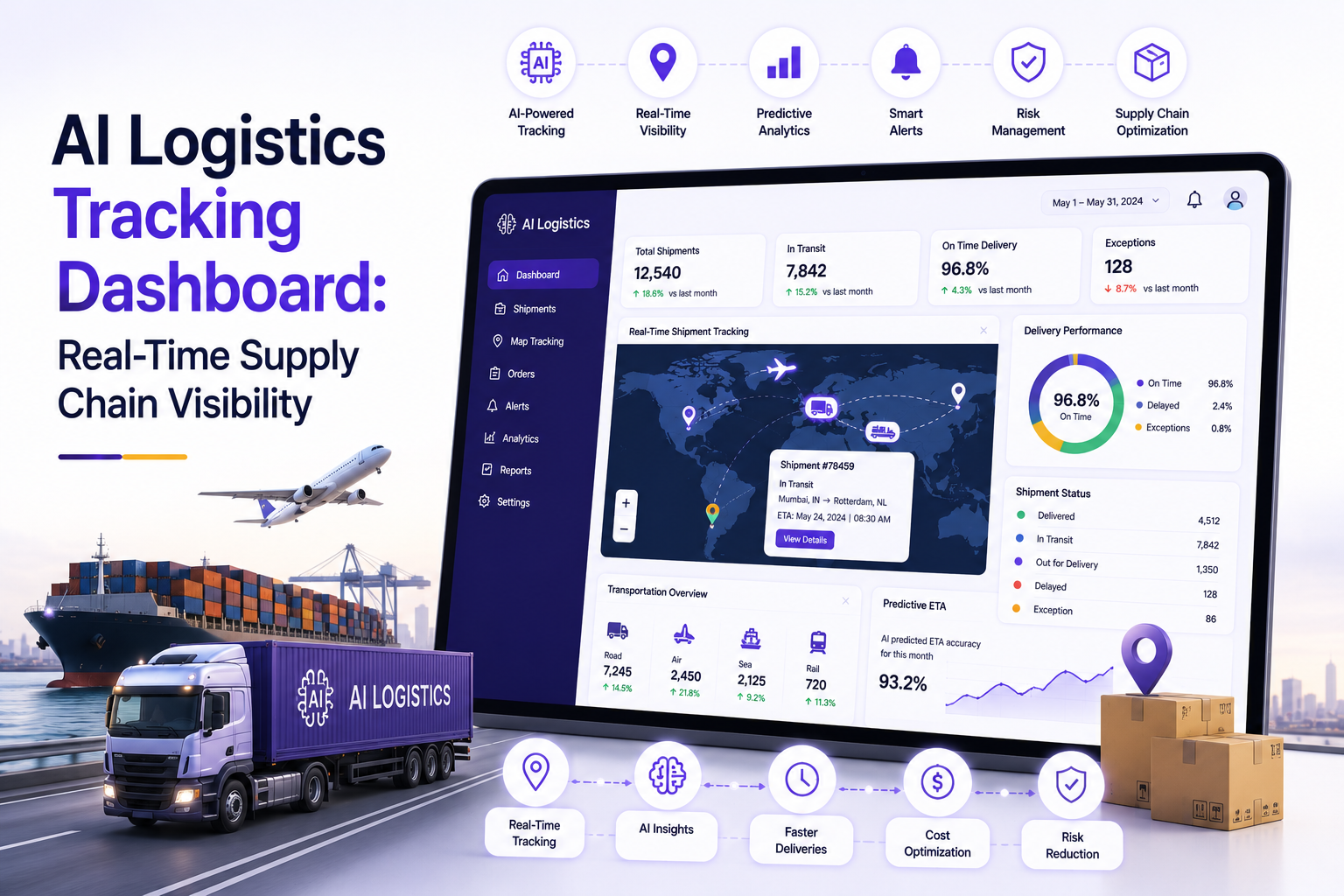

Supply chains do not fail quietly anymore. A delayed container off the coast of Long Beach, a truck stuck at a border checkpoint, or a warehouse that runs out of pallet space at the wrong moment shows up almost instantly in a customer complaint, a missed SLA, or a frustrated call from a client asking, "Where is my shipment?" That question, more than any other, is why so many logistics leaders spent 2025 and 2026 budgets on one thing: visibility. Not reports that arrive a day late. Not spreadsheets stitched together from three carriers and two warehouse systems. Real, live, trustworthy visibility into where every shipment actually is.
That is exactly what an AI logistics tracking dashboard is built to deliver. It pulls data from carriers, warehouses, IoT sensors, and ERP systems into one screen, then uses machine learning to flag delays before they become disasters. For CEOs and founders who are tired of finding out about problems after customers do, this piece walks through what these dashboards actually do, what separates strong AI supply chain software from a glorified spreadsheet, what it costs to build one, and how to evaluate the AI logistics tracking dashboard development companies that can bring it to life.
What Is an AI Logistics Tracking Dashboard, Exactly?
Strip away the marketing language and an AI logistics tracking dashboard is a single, unified interface that shows you where your goods are, how they are moving, and whether anything is about to go wrong, all updated in real time. It connects to GPS trackers on trucks, RFID tags on pallets, telematics on ships and containers, and data feeds from third-party carriers like FedEx, Maersk, or DHL. Instead of logging into five different portals to piece together a shipment's status, a manager opens one dashboard and sees everything at once.
What makes it "AI" rather than just a tracking map is the layer of intelligence sitting underneath the visuals. Machine learning models look at historical transit times, weather patterns, port congestion data, and traffic conditions to predict estimated arrival times that are actually accurate, not just a static number pulled from a contract. When a shipment starts drifting off its expected path, the system flags it automatically instead of waiting for a human to notice. Some of the more advanced platforms even suggest corrective actions, like rerouting a truck around a closed highway or reallocating warehouse labor ahead of an unexpected inbound surge.
For a founder evaluating this kind of investment, the simplest way to think about it is this: a traditional tracking tool tells you what already happened. An AI logistics tracking dashboard tells you what is about to happen, and gives your team enough lead time to actually do something about it.
Why Real-Time Visibility Matters More in 2026 Than It Did Five Years Ago
Supply chains got more fragile, not less, over the past few years. Trade route disruptions, port strikes, and sudden tariff changes turned what used to be reliable 30-day lead times into guesswork. At the same time, customer expectations moved in the opposite direction. Buyers now expect Amazon-level tracking accuracy from every vendor they deal with, whether they are ordering a container of raw materials or a single retail SKU.
That gap between rising disruption and rising expectations is exactly why real-time supply chain visibility has become a board-level priority rather than an operations nice-to-have. Companies that can see a delay forming three days out can reroute inventory, notify customers proactively, and avoid the kind of stockouts that quietly erode trust. Companies still relying on end-of-day email updates from freight partners are finding out about problems only after they have already cost money.
There is also a cost angle that founders care about directly. Idle trucks, misallocated warehouse labor, and emergency air freight to cover a missed ocean shipment are expensive, and most of that expense is avoidable with earlier warning. A dashboard that catches a problem 48 hours before it happens is not just a convenience. It is a direct line to lower operating costs and fewer emergency decisions made under pressure.
Core Features to Look For in an AI Logistics Tracking Dashboard
Not every platform that calls itself "AI-powered" actually behaves intelligently. Before signing a contract, it helps to know which features genuinely move the needle and which are just dashboard decoration.
- Live GPS and IoT integration: Direct feeds from vehicle telematics, container sensors, and warehouse scanners, refreshed in near real time rather than on a delayed batch cycle.
- Predictive ETA modeling: Machine learning that adjusts arrival predictions based on live traffic, weather, and historical route performance, not a static number set at booking.
- Automated exception alerts: Instant notifications when a shipment deviates from its route, sits idle too long, or misses a checkpoint, sent to the right person without someone having to go looking for the problem.
- Multi-carrier and multi-modal visibility: One screen covering trucking, ocean freight, air freight, and rail, instead of separate logins for every partner.
- Inventory and warehouse synchronization: A live link between in-transit stock and warehouse management systems so teams are not caught off guard by incoming volume.
- Custom reporting and analytics: Dashboards that let executives slice performance by carrier, region, or product line, supporting decisions that go beyond day-to-day tracking.
Below is a quick reference of how these features map to business impact.
The strongest AI logistics tracking dashboard implementations combine most of these features into a single, coherent workflow rather than bolting them together as separate modules. That coherence is usually the biggest differentiator between platforms that get adopted company-wide and ones that quietly get abandoned after a few months.
How AI Supply Chain Software Differs From a Traditional TMS
It is worth pausing on the difference between a traditional transportation management system and modern AI supply chain software, because the two get lumped together far too often in sales conversations.
A traditional TMS is fundamentally a record-keeping tool. It stores shipment data, generates reports, and helps with route planning based on rules someone configured manually. It is useful, but it is reactive. If a truck breaks down or a port closes unexpectedly, the TMS will not tell you until someone manually updates the record.
AI supply chain software works differently because it learns from patterns rather than just storing them. It can look at three years of shipment history for a specific lane, notice that deliveries through a particular port consistently run two days late during hurricane season, and factor that into future ETA predictions automatically. It can also connect disparate systems, procurement, warehousing, transportation, and demand forecasting, into a single intelligence layer that surfaces risks before a human would think to look for them.
For a CEO weighing the two, the distinction comes down to speed of response. Traditional systems tell you what happened after the fact, useful for audits and historical reporting. AI supply chain software tells you what is likely to happen next, which is the difference between reacting to a crisis and preventing one.
There is a practical middle ground worth mentioning too. Many companies do not rip out their existing ERP or TMS. Instead, they layer an AI logistics tracking dashboard on top, pulling data from the legacy systems while adding the predictive and alerting capabilities those older platforms were never built to handle. That approach tends to be faster to deploy and far less disruptive than a full system replacement.
Key Benefits for CEOs and Founders
Executives evaluating this kind of investment usually care less about the technology itself and more about what changes on the balance sheet and in customer relationships. A few benefits show up consistently once a dashboard is fully adopted.
Fewer surprises for customers. When a shipment is going to be late, your team knows before the customer calls to ask. Proactive communication, even when the news is not great, builds far more trust than silence followed by an apology.
Lower operating costs. Idle equipment, rushed air freight, and emergency labor to cover unplanned volume spikes all cost real money. Earlier warning of disruptions gives operations teams time to make cheaper decisions instead of expensive last-minute ones.
Better decisions with less guesswork. Instead of relying on a logistics manager's gut feeling about which carrier is reliable this quarter, leadership gets hard data on on-time performance, damage rates, and cost per shipment across every partner.
Stronger negotiating position with carriers. When you can show a freight partner exact data on their delay patterns, pricing conversations shift in your favor. Vague complaints do not move contracts. Data does.
Scalability without proportional headcount growth. A well-built dashboard lets a small logistics team manage a much larger shipment volume, because the system is doing the constant monitoring that used to require someone staring at a spreadsheet all day.
None of these benefits show up overnight. They accumulate over a few months as the underlying models get more data to learn from and as your team builds new habits around trusting the alerts instead of double-checking everything manually.
What to Look For When Choosing AI Logistics Tracking Dashboard Development Companies
Building this kind of platform is not a weekend project, and picking the wrong partner can turn a six-month build into an eighteen-month mess. Here is what actually separates a strong partner from one that will just take the check.
Real logistics domain experience, not just AI experience. A team that has built recommendation engines or chatbots is not automatically qualified to model freight ETAs or understand the quirks of EDI integrations with carrier systems. Ask for specific examples of supply chain or logistics projects they have shipped, not general AI portfolio pieces.
A track record of integrating with carrier and IoT data sources. This is where most delays happen in real projects. Carrier APIs are inconsistent, documentation is often outdated, and IoT sensor data arrives in formats that need cleaning before a model can use it. A development partner who has done this before will scope the project realistically instead of underestimating the integration work.
Clear communication about data infrastructure, not just the interface. It is easy to demo a slick dashboard. It is much harder to build the underlying pipelines that keep it accurate at scale. Good AI logistics tracking dashboard development companies will spend real time in discovery talking about your data sources, not just your screen design preferences.
Post-launch support and model retraining. Predictive models drift over time as routes, carriers, and conditions change. A partner that disappears after launch leaves you with a dashboard that gets less accurate every quarter. Ask specifically how they handle ongoing model maintenance.
Transparent pricing and realistic timelines. Anyone promising a fully functional AI-powered platform in four weeks is either overpromising or building something far less sophisticated than what you actually need. Realistic builds usually take longer, and a trustworthy partner will tell you that upfront instead of selling you a timeline they know they cannot hit.
It also helps to ask for references from companies of a similar size and industry to yours. A firm that has only built dashboards for small regional trucking fleets may struggle with the complexity of a multinational operation spanning ocean, air, and ground freight, and vice versa.
Cost Considerations for Building an AI Logistics Tracking Dashboard
Cost is usually the first question on a founder's mind, and the honest answer is that it depends heavily on scope. A basic tracking dashboard pulling data from a handful of carrier APIs looks very different, in both price and complexity, from a full AI supply chain software platform covering predictive ETAs, warehouse synchronization, and multi-modal freight visibility.
A few cost factors tend to surprise first-time buyers. Carrier API access and IoT hardware, if you do not already have sensors deployed, add costs outside the software development budget itself. Data cleaning and historical data migration, especially if your existing records are spread across multiple legacy systems, often take longer than the actual dashboard build. And ongoing hosting, data storage, and model retraining are recurring costs that continue well after launch, typically running $1,500 to $6,000 per month depending on shipment volume and data complexity.
Founders comparing quotes from different AI logistics tracking dashboard development companies should ask exactly what is included in each number. A low upfront quote that excludes carrier integrations, ongoing model maintenance, or post-launch support often ends up costing more in the long run than a higher quote that covers the full scope from the start.
A Realistic Implementation Roadmap
Most successful builds follow a fairly consistent path, even though the specific timeline varies by scope.
Discovery and data audit (2 to 4 weeks). Before writing any code, a good development team maps out every data source you currently have, carrier APIs, warehouse systems, existing ERP data, and figures out what is usable, what needs cleaning, and what is missing entirely.
Architecture and integration planning (2 to 3 weeks). This is where the team decides how data will flow from carriers and sensors into the dashboard, what the predictive models will be trained on, and how the system will scale as shipment volume grows.
Core dashboard build and predictive model development (8 to 16 weeks). The bulk of development time goes here, building the interface, connecting live data feeds, and training the machine learning models that power ETA predictions and exception alerts.
Testing with real shipment data (3 to 4 weeks). Predictive models need to be validated against actual historical outcomes before they can be trusted in production. This phase often reveals gaps in data quality that need to be addressed before launch.
Phased rollout (4 to 8 weeks). Rather than switching every team over on day one, most companies roll the dashboard out to a single region or product line first, work out the operational kinks, then expand company-wide.
Ongoing monitoring and model retraining (continuous). Once live, the system needs regular attention to keep predictions accurate as routes, carriers, and market conditions shift.
All told, a mid-complexity build typically takes 5 to 9 months from kickoff to full rollout. Founders who go in expecting a faster timeline often end up cutting corners on the data audit phase, which almost always causes accuracy problems down the line.
Common Challenges and How to Avoid Them
Messy or incomplete historical data. Predictive models are only as good as the data they learn from. Companies that jump straight into model training without first auditing and cleaning their historical shipment records often end up with inaccurate ETA predictions that erode trust in the whole system.
Carrier API limitations. Not every freight partner offers real-time API access, and some smaller regional carriers still rely on manual status updates. A realistic project plan accounts for these gaps rather than assuming every data source will be equally accessible.
Underestimating change management. A dashboard is only useful if your team actually uses it instead of falling back on old habits like phone calls and spreadsheets. Budgeting time for training and building trust in the alerts is just as important as the technical build itself.
Choosing a partner based on price alone. The cheapest quote among AI logistics tracking dashboard development companies frequently comes from a team cutting corners on data infrastructure or integration testing, which shows up as reliability problems months after launch.
Ignoring scalability from the start. A dashboard built to handle a few hundred shipments a month can struggle badly once volume triples. Planning for growth during the architecture phase avoids an expensive rebuild later.
Trends Shaping AI Logistics Tracking Dashboards in 2026
The technology behind these platforms keeps moving, and a few shifts are worth watching if you are planning a build this year.
Generative AI layered on top of tracking data. Instead of just showing a delay alert, newer platforms use natural language generation to explain, in plain terms, why a shipment is late and what the recommended next step is, which makes the dashboard usable by non-technical staff.
Deeper integration with sustainability reporting. As carbon reporting requirements tighten across regions, more AI supply chain software platforms now calculate emissions per shipment automatically, pulling that data directly into the same dashboard used for tracking.
Autonomous exception handling. Some platforms are moving beyond alerts and into limited autonomous action, automatically rebooking a delayed shipment on an alternate carrier when a delay crosses a certain threshold, with a human only reviewing the decision afterward rather than making it from scratch.
Edge computing for IoT sensors. Processing sensor data closer to the source, rather than sending everything to the cloud first, is cutting latency in temperature-sensitive and time-critical shipments like pharmaceuticals and fresh produce.
Consolidation among smaller point solutions. A number of companies that started with narrow tools, just carrier tracking or just warehouse visibility, are being acquired or are expanding into fuller AI logistics tracking dashboard platforms, which means the market has fewer but more capable options than it did two years ago.
How to Shortlist and Evaluate the Right Development Partner
Once you understand the features, costs, and timeline involved, the final step is narrowing down which team actually gets to build it. This is where a lot of founders either move too fast or get stuck comparing proposals that all sound the same on paper.
Start by asking each candidate to walk through a past project in detail, not a polished case study, but the actual messy parts. How did they handle a carrier that would not provide API access? What happened when historical data turned out to be incomplete? Teams with real experience will have specific, sometimes unglamorous answers. Teams without it tend to speak in generalities.
Next, look closely at how each team talks about AI itself. Some vendors slap a machine learning label on what is really just rule-based logic, because "AI" sells better in a pitch deck. Ask direct questions about what models they use, how those models are trained, and how accuracy is measured and improved over time. A partner confident in their actual technical approach will answer these questions clearly instead of deflecting into marketing language.
It is also worth checking how a potential partner handles data security and compliance, especially if your supply chain touches regulated industries like pharmaceuticals or food. Shipment and location data can be sensitive, and a development team without a clear answer on encryption, access controls, and compliance certifications is a risk not worth taking.
Finally, talk to at least two references from past clients, ideally ones whose project scope was similar in size to yours. Ask specifically about post-launch support, whether timelines held up, and whether the finished product matched what was originally promised. The gap between a sales pitch and delivered reality is where most AI logistics tracking dashboard development companies either earn trust or lose it, and past clients will tell you the truth faster than any proposal document will.
Build vs Buy: Should You Customize or Use an Off-the-Shelf Platform?
Before committing to a custom build, it is worth asking whether an off-the-shelf platform could get you 80 percent of the way there for a fraction of the cost. The honest answer depends on how unusual your logistics operation actually is.
Off-the-shelf AI supply chain software works well for companies with fairly standard freight patterns, common carrier relationships, and no unusual regulatory requirements. These platforms are cheaper upfront, often $500 to $3,000 per month in subscription fees, and can be live within a few weeks rather than months. The tradeoff is flexibility. You are working within whatever workflows the vendor decided to support, and integrating with a niche internal system or an uncommon carrier can be difficult or impossible.
A custom build makes more sense once your operation has specific requirements that generic platforms cannot handle well. Maybe you run a mix of regulated pharmaceutical shipments and standard retail freight with very different compliance needs. Maybe your warehouse management system is a decade-old proprietary tool that no off-the-shelf dashboard integrates with cleanly. Maybe you simply have enough shipment volume that even small accuracy improvements translate into significant savings, which justifies the investment in a model trained specifically on your own historical data.
Some companies land on a middle path, starting with an off-the-shelf tool to prove out the value of real-time visibility, then moving to a custom AI logistics tracking dashboard once they have a clear picture of exactly which features matter most to their operation. This staged approach reduces risk, since you are not committing a large development budget before confirming that better visibility actually changes how your team operates day to day.
Whichever path you choose, the underlying question is the same. Does the platform give your team enough advance warning to act, and does it fit naturally into how your operation already works? A technically impressive dashboard that nobody trusts or uses is not actually solving the problem it was built for.
Conclusion
Supply chain visibility stopped being a nice-to-have somewhere around the point customers started expecting Amazon-level tracking accuracy from every vendor they work with, regardless of size. An AI logistics tracking dashboard is not just a fancier version of a tracking map. It is the difference between finding out about a problem from a customer complaint and catching it three days before it happens, with enough time to actually fix it.
Getting there takes more than picking a vendor off a search results page. It means understanding what genuinely intelligent AI supply chain software looks like versus a relabeled spreadsheet, budgeting realistically for both the build and the ongoing maintenance, and choosing a development partner who has actually solved these problems before, not just talked about solving them. Founders who take the time to vet AI logistics tracking dashboard development companies properly, checking real experience, data infrastructure depth, and post-launch support, end up with a system their team actually trusts and uses every day, not another dashboard that gets ignored after the first month.