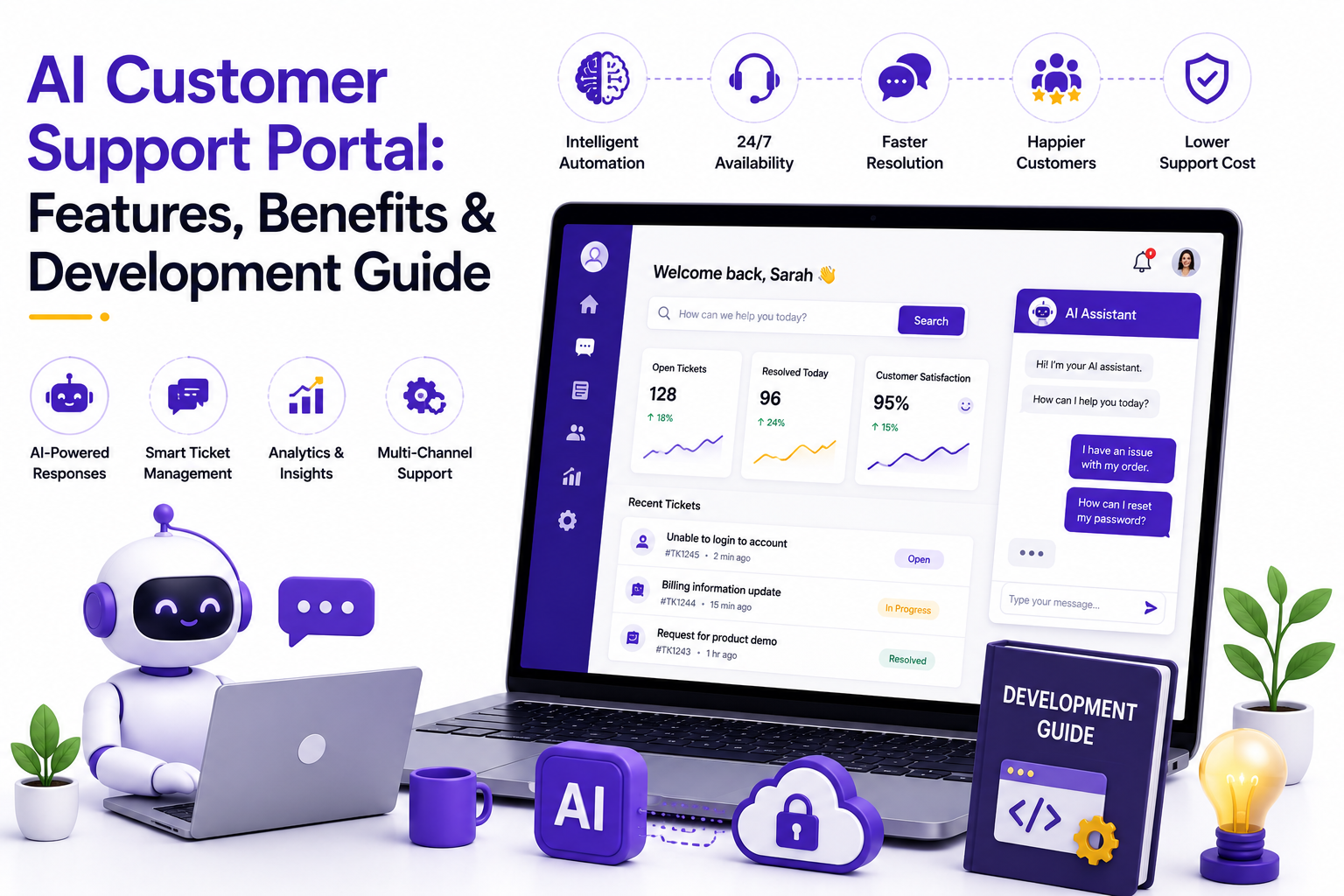

Every support ticket that sits unanswered for more than a few hours costs a business more than time. It costs trust. And in 2026, customers do not wait around to find out if you value theirs. They expect answers within minutes, on the channel of their choice, at any hour of the day. That expectation is exactly why so many companies are rethinking how they handle customer queries and turning to an AI customer support portal to do it.
This is not about replacing your support team with robots. It is about giving your team, and your customers, a smarter system that resolves the easy stuff instantly and routes the hard stuff to the right human, with full context already attached. If you are a CEO or founder trying to decide whether this investment makes sense for your business, and which development partner can actually build it right, this guide walks you through everything you need to know before you sign a contract.
Here is what we will cover: what this technology actually is, the different types of portals businesses are building right now, the features and benefits that matter most, and a complete development roadmap you can use while evaluating vendors.
What Is an AI Customer Support Portal?
An AI customer support portal is a centralized platform where customers can raise queries, track requests, and get instant help, powered by artificial intelligence rather than relying solely on human agents. Think of it as a hub that combines a ticketing system, a knowledge base, a live chat interface, and an intelligent engine that understands language, predicts intent, and resolves issues without waiting in a queue.
Unlike a traditional helpdesk that depends entirely on agent availability, an AI customer support portal uses machine learning and natural language processing to understand what a customer is asking, pull relevant information from your knowledge base, and either resolve the issue on the spot or hand it off to a human agent with full context. The result is faster resolution times, lower support costs, and a customer experience that does not feel like waiting in line.
What makes this different from the chatbots businesses experimented with five or six years ago is context. Older bots followed rigid decision trees and broke the moment a customer phrased something unexpectedly. Modern portals, built on large language models and continuously trained on your own product data, understand intent even when the wording is messy. They remember earlier parts of a conversation, pull up order history without being asked, and know when to stop trying and simply connect the customer to a person.
For decision-makers comparing vendors, it also helps to understand where this fits relative to older technology. Traditional AI-powered helpdesk software focused mainly on ticket management and canned responses. Today's portals go further, combining that ticket management layer with conversational AI, predictive analytics, and proactive outreach, so the system is not just organizing support requests but actively reducing how many of them ever need a human response.
Here is a quick comparison of how a traditional support desk differs from an AI powered one:
Types of AI Customer Support Portals
Not every business needs the same kind of portal. The right setup depends on your industry, your customer base, and the complexity of the queries you handle. Here is a breakdown of the most common types businesses are building in 2026, along with what makes each one different.
B2B Customer Portal
B2B companies deal with fewer customers but far more complex relationships. A B2B portal typically integrates with CRM and ERP systems, handles multi-step approval workflows, and gives account managers a full view of every client interaction. It is less about answering simple FAQs and more about managing contracts, purchase orders, invoices, and renewals in one place. Because B2B relationships often involve dedicated account teams, these portals usually include internal collaboration tools so sales, support, and finance can see the same customer record without switching systems.
SaaS Support Portal
SaaS companies live and die by churn. A SaaS support portal usually combines a searchable knowledge base, in-app chat, and automated onboarding guidance so users can solve issues without leaving the product. Bug reports, feature requests, and billing questions all flow through a single, trackable system. Many SaaS businesses also connect their portal directly to product usage data, so the AI can proactively flag when a customer is struggling with a specific feature before that customer even files a ticket.
Ecommerce Support Portal
Order tracking, returns, refunds, and product questions dominate ecommerce support volume. An AI driven ecommerce portal can pull order status automatically, initiate a return without agent involvement, and recommend products based on browsing history, all while cutting down the sheer volume of repetitive tickets. During peak shopping seasons, this kind of automation is often the difference between a support team that drowns in tickets and one that keeps pace without adding temporary staff.
Healthcare Patient Support Portal
Patient portals need to balance helpfulness with strict privacy regulations. These portals typically handle appointment scheduling, prescription refill requests, insurance queries, and basic symptom triage, all while maintaining compliance with healthcare data protection standards. Because the stakes are higher when health information is involved, these portals are usually built with clear escalation rules, so anything remotely urgent gets routed to a human immediately rather than left with the AI.
Banking & Finance Portal
Financial institutions use these portals for account queries, transaction disputes, loan status updates, and fraud alerts. Security is non-negotiable here, so these portals are usually built with layered authentication and strict audit trails alongside the AI driven query resolution. Fraud detection is often a standout feature, with the AI flagging unusual account activity and proactively reaching out to customers before a dispute even gets filed.
Telecom Customer Portal
Telecom companies deal with massive query volumes, from billing disputes to network outages. A telecom portal often includes real-time network status updates, plan management, and automated troubleshooting for common connectivity issues. Given how frequently telecom queries repeat themselves, such as slow internet or billing confusion, this is one of the industries where automation delivers the fastest and most visible return on investment.
Insurance Support Portal
Claims status, policy details, and premium payments are the bulk of insurance related queries. These portals often integrate document upload and verification tools so customers can file and track claims without a single phone call. Some insurers are now using AI within these portals to do a first pass on claim documentation, flagging missing information immediately instead of making the customer wait days to find out something was incomplete.
Government Citizen Service Portal
Public sector portals handle everything from license renewals to service complaints. These need to be accessible, multilingual, and easy to use for citizens who may not be tech savvy, while still processing large volumes of requests efficiently. Government portals also tend to prioritize transparency, giving citizens clear status updates and expected timelines rather than leaving them to call in and ask.
Features of an AI Customer Support Portal
A well built portal should do more than just answer questions. Here are the features that actually move the needle for businesses in 2026.
- Conversational AI chatbots that understand natural language and context, not just keyword matching
- Omnichannel support that connects email, chat, social media, and voice into one unified inbox
- Smart ticket routing that assigns queries to the right department or agent automatically
- Self-service knowledge base with AI-generated suggestions based on what the customer is typing
- Sentiment analysis that flags frustrated customers for priority handling
- Multilingual support that translates queries and responses in real time
- Predictive analytics that surface trends before they become widespread problems
- Seamless CRM and ERP integrations so agents never have to switch tabs
- Voice bots and IVR systems powered by AI for phone-based support
- Automated feedback collection after every resolved ticket
- Role-based access control for security and data privacy
- Real-time dashboards that show ticket volume, resolution time, and customer satisfaction scores
- Proactive alerts that notify customers about delays or issues before they have to ask
- Agent assist tools that suggest responses in real time while a human agent is handling a ticket
Any credible AI-powered helpdesk software should include most of these out of the box, with room to customize based on your specific industry needs. The trick is not picking a vendor with the longest feature list, but one whose features actually map to the problems your support team deals with every day.
Benefits of an AI Customer Support Portal
Here is why founders and decision-makers are prioritizing this investment in 2026.
- Faster resolution times, since routine queries get resolved instantly without waiting for an agent
- Lower operational costs, because automation handles repetitive tickets that would otherwise need staffing
- Round the clock availability, so customers in any time zone get help without delay
- Higher customer satisfaction, driven by quicker and more consistent responses
- Better agent productivity, since agents only handle complex issues instead of repetitive ones
- Data driven insights, because every interaction generates data you can use to improve products and processes
- Scalability during peak seasons, without the need to hire and train temporary staff
- Reduced human error, since AI follows consistent logic for standard queries
- Improved first contact resolution rates, which directly impacts customer loyalty
- Consistent brand voice across every channel and every interaction
- Stronger employee retention, since agents spend less time on repetitive, low value tickets and more time on meaningful work
- Better forecasting, as historical ticket data helps predict staffing needs during busy periods
These benefits compound over time. A portal that saves you two minutes per ticket does not sound like much until you multiply it across thousands of monthly interactions. Businesses that track this closely usually see the clearest returns within the first two to three quarters after launch, once the AI has had enough real conversations to fine tune its responses.
Complete Development Guide
Building an AI customer support portal is not a weekend project. It takes planning, the right technology stack, and a development partner who understands both AI and customer experience design. Here is a step-by-step guide to help you approach it the right way.
Step 1: Define Your Goals and Scope
Before writing a single line of code, get clear on what problem you are solving. Are you trying to reduce ticket volume, cut response time, or improve customer satisfaction scores? Your goals will shape every decision that follows, from the AI models you choose to the channels you integrate. Write these goals down and share them with every vendor you talk to, since a partner who cannot address your specific goals is probably not the right fit.
Step 2: Map Your Customer Journey
Understand where customers currently get stuck. Look at your existing ticket data, identify the most common query types, and figure out which ones can realistically be automated versus which ones need a human touch. This step often reveals patterns founders were not fully aware of, such as one product feature generating a disproportionate share of confusion.
Step 3: Choose the Right Technology Stack
This typically includes a natural language processing engine, a machine learning model for intent recognition, a ticketing backend, and a frontend interface. Many businesses also integrate large language models for more natural, human-like conversations. The right stack depends heavily on your existing infrastructure, so this decision should involve both your technical team and whichever development partner you choose.
Step 4: Select the Right Development Partner
This is where most projects succeed or fail. You want to work with AI customer support portal development companies that have proven experience in your industry, transparent pricing, and a track record of post-launch support. Ask for case studies and speak directly with their previous clients if possible. A strong partner will ask detailed questions about your customer base and existing systems long before they pitch you a solution.
Step 5: Design the User Experience
A powerful backend means nothing if customers find the interface confusing. Prioritize clean navigation, minimal steps to raise a query, and a chat interface that feels conversational rather than robotic. Small details matter here, such as how the portal handles a customer who wants to switch from chat to a phone call midway through an issue.
Step 6: Integrate with Existing Systems
Your portal needs to talk to your CRM, your ERP, your helpdesk software, and possibly your billing system. Poor integration is one of the most common reasons AI portals fail to deliver value after launch, since agents end up switching between tools anyway, which defeats the entire purpose of building a unified system.
Step 7: Train the AI Model
Feed your AI system historical ticket data, FAQs, and product documentation so it can learn your business context. The more relevant data it has, the more accurate its responses will be from day one. This training phase is ongoing rather than a one-time event, since the model should keep learning from new conversations after launch.
Step 8: Test Extensively
Run the portal through real world scenarios before launch. Test edge cases, ambiguous queries, and high-volume situations to see how the system holds up under pressure. It is worth deliberately trying to confuse the AI during testing, since customers will do exactly that once the portal goes live.
Step 9: Launch in Phases
Rather than switching everything overnight, roll out the portal to a small segment of customers first. Monitor performance, gather feedback, and refine before a full-scale rollout. A phased launch also gives your support team time to get comfortable working alongside the new system instead of feeling replaced by it.
Step 10: Monitor and Optimize Continuously
An AI portal is never truly finished. Track resolution rates, customer satisfaction, and escalation patterns regularly, and retrain your models as your product and customer base evolve. Set a recurring review, monthly for the first six months and quarterly after that, to make sure the system keeps pace with how your business changes.
Choosing Between Development Companies
When you are evaluating AI customer support portal development companies, look beyond the sales pitch. Ask about their experience with your specific industry, their approach to data security, their timeline for delivery, and what ongoing support looks like after launch. A good development partner will ask you just as many questions as you ask them, because building the right portal starts with understanding your business, not just your budget.
It also helps to ask how a vendor handles ownership of the AI models and data once the project is complete. Some companies build on proprietary platforms that lock you into ongoing licensing fees, while others hand over full ownership of the code and trained models. Neither approach is automatically wrong, but you should know which one you are signing up for before the contract is finalized.
Here is a quick checklist to use during your evaluation:
Common Challenges to Plan For
Even a well planned rollout runs into friction. Knowing what typically goes wrong helps you plan around it rather than being caught off guard.
- Data quality issues, since an AI model trained on outdated or incomplete documentation will give inconsistent answers
- Resistance from support staff who worry about job security, which is best addressed with clear communication about how their role is changing rather than disappearing
- Over automation, where businesses try to remove humans from every interaction and end up frustrating customers who need nuanced help
- Integration delays, particularly with legacy systems that were never designed to connect with modern APIs
- Underestimating the training period, since AI models genuinely do improve with more real conversation data over time
Businesses that budget time and resources for these challenges upfront tend to have smoother launches than those who treat the technical build as the only hard part of the project.
It also helps to set realistic expectations internally before the launch date arrives. Executives sometimes expect an AI portal to eliminate support tickets entirely within the first month, and when that does not happen, the project gets labeled a failure prematurely. In reality, most portals show meaningful improvement within the first 90 days and continue improving well beyond that as the model learns from a growing volume of real conversations. Setting that expectation with your leadership team and your board early on avoids unnecessary pressure to abandon a system that simply needs more time to mature.
Security and Compliance Considerations
Handing customer conversations over to an AI system raises a fair question. Where does all that data go, and who can see it? This matters even more once you consider how much personal information flows through a typical support conversation, from account numbers to health details to payment information.
- Data encryption, both in transit and at rest, should be non-negotiable for any vendor you consider
- Compliance with regulations relevant to your industry, such as HIPAA for healthcare or PCI DSS for payment data, needs to be confirmed rather than assumed
- Clear data retention policies, so you know exactly how long conversation logs are stored and when they get deleted
- Access controls that limit which employees, and which parts of the AI system, can view sensitive customer information
- Regular security audits, ideally conducted by a third party rather than self reported by the vendor
None of this should be an afterthought. Bake these questions into your vendor evaluation from the start, rather than raising them after a contract is already signed.
Is It Worth the Investment? Understanding ROI
Founders naturally want to know when a project like this pays for itself. The honest answer is that it depends on your current ticket volume, your existing support costs, and how much of your query volume is genuinely repetitive. That said, most businesses can build a reasonable projection using a few core numbers.
A useful exercise before committing to a build is to sit down with your existing ticket data and estimate what percentage of your monthly volume could realistically be automated. Businesses are often surprised to find that a large share of their tickets fall into a handful of repeatable categories, which is exactly the kind of volume an AI system handles well from day one.
What This Means for Your Business in 2026
Customer expectations have shifted permanently. A slow response is no longer excused because a company is small or because it is after hours. Whether you run a SaaS product, an ecommerce store, or a financial services company, the businesses pulling ahead are the ones treating support as a strategic function rather than a cost center to minimize. An AI customer support portal, built thoughtfully and with the right partner, is one of the clearest ways to make that shift without needing to triple the size of your support team.
Conclusion
The businesses that will stand out in the next few years will not be the ones that answer support tickets fastest. They will be the ones that stop customers from needing to ask in the first place, and resolve the rest so smoothly that customers barely notice they were ever stuck. An AI customer support portal is not just a support tool anymore. It is quickly becoming a competitive advantage that shapes how customers perceive your entire brand.
So the real question is not whether you should build one. It is how soon you can get it right, and who you trust to build it with you.